
Our available controls: Rainier Blinds offers Roman and woven wood shades with motorized operation only. Available controls and power options for other products are confirmed at your consultation.
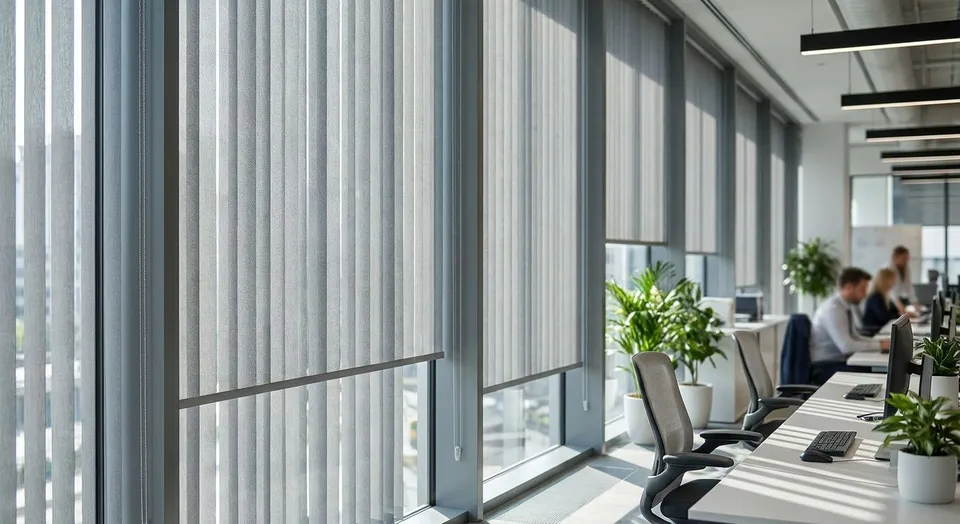
Home office window shades are custom-fit coverings installed to cut glare, protect privacy, and keep a room camera-ready during work hours, and a home office asks more of a shade than a bedroom or kitchen does. The window has to perform on back-to-back video calls, block afternoon sun without going fully dark at 2pm, and hold up to daily raising and lowering instead of the occasional adjustment a living room shade gets.
- Roller shades give the cleanest video-call background but come in one opacity per shade.
- Cellular shades add insulation and mild sound dampening for home offices near a busy street.
- Zebra shades let you switch between full view and glare block without swapping shades.
- Motorized control removes the mid-call scramble to adjust a cord-lift shade.
- Professional measurement matters more in a home office because a gap at the top wrecks glare control.
Why window shades matter for home offices
A home office window does two jobs a bedroom window never has to: it has to look professional behind you on a call, and it has to let you actually see your monitor at 10am with the sun coming through a west-facing pane. Get the opacity wrong and you're either squinting at a glare-washed screen or working in a room so dark you need a desk lamp at noon.
South King County and Seattle-area home offices deal with long, low-angle summer sun that hits desks directly for hours, not just a quick morning flash. Motorized shades cut that video call glare on a schedule instead of forcing you to get up and adjust a wand mid-meeting, which is the single biggest complaint homeowners raise about converting a spare bedroom into an office.
“If you can see your own glare in the meeting recording, the shade is already failing the room.”
Audit your window's direction and glare timing
Before picking a shade, figure out when the sun actually becomes a problem in this specific room. A north-facing office in 2026 has different needs than a west-facing one that gets hammered from 3pm to 7pm.
- Track glare times for one full week, morning and afternoon
- Note whether the glare hits the desk, the monitor, or the camera background
- Check if the window has a UV coating already, which changes how much opacity you actually need
- Flag any window with a direct line to a neighbor's window for privacy, not just light
- Separate "annoying glare" from "unusable for calls" glare, since they call for different opacity levels
Choose the opacity level for your work hours
Office shades aren't one-size-fits-all the way a nursery blackout shade is. You need a shade that reads as "closed" on camera without killing the light you work by all day.
- Light-filtering fabric for rooms with mild glare, keeps the room usable without a lamp
- Room-darkening for the exact hour glare peaks, paired with a second sheer for the rest of the day
- Blackout only for windows facing direct afternoon sun with no other light source in the room
- Dual shades (sheer plus blackout in one housing) if the glare window is narrow but severe
- Test a fabric sample against your actual monitor brightness before committing to a full order
Pick a shade type built for daily operation
A home office shade gets touched five days a week, not occasionally like a guest room. That daily cycle is where cheap online shades fail first, with cords fraying or fabric sagging inside a year.
- Roller shades for the cleanest single-opacity look and the least maintenance
- Cellular shades are primarily for light control, privacy, and insulation. Do not rely on an ordinary shade to soundproof a room or promise a measurable reduction in outside noise; ask for product-specific acoustic test data if noise control is a priority.
- Zebra shades for offices that switch between "open for a call" and "closed for focus work" multiple times a day
- Roman shades or drapery for a softer look, though they trade off some of the precise light control roller and zebra shades give
- Skip shades with exposed cord loops near a desk with cables and power strips already on the floor
Decide manual vs motorized vs smart control
A manual shade works fine in a room you adjust once a day. A home office you're in for eight hours needs to be evaluated differently, because you're the one standing up mid-call to fix it every time.
- Manual is the lowest-cost entry point and fine for a window you rarely need to adjust
- Motorized removes the mid-meeting scramble and can run on a schedule tied to sun angle rather than memory
- Smart shades pair with existing home hub systems for voice or app control across multiple office windows
- Battery-powered motorized units skip the need for new wiring in a converted bedroom or bonus room
- Weigh motorized against your actual daily disruption, not just the upgrade appeal
Every shade line above comes in manual, motorized, and smart versions, so the fabric and mount decision doesn't lock you into one control method.
Address the video-call background directly
What's behind you on a call matters as much as what's in front of you. A shade that looks fine in person can wash out or glow on camera depending on the fabric weave and the light hitting it.
- Test the shade closed on an actual video call before finalizing color, not just in the showroom
- Avoid high-sheen fabrics that reflect a laptop screen back at the camera
- Neutral tones read cleaner on camera than bold patterns
- Consider a slightly heavier fabric weight if backlighting from an afternoon window washes out your face
Get a professional measurement instead of guessing
A quarter-inch gap at the top of a shade is invisible in a bedroom and unmissable behind you on a call, since that's exactly where afternoon glare sneaks in. Getting the window measured correctly before ordering avoids the return-and-reorder cycle that eats weeks of working around a shade that doesn't seal the frame.
- Measure at three points (top, middle, bottom) since window frames shift over time
- Note whether an inside or outside mount fits the depth of the frame
- Account for any blinds hardware or trim that would block a full inside mount
- Have the measurement checked in person if the office window is an odd shape like a bay or trapezoid
Get your office windows measured
A in-home consultation covers measuring, fabric, and control options.
Comparison: shade options for home offices
| Option | Best For | Key Limitation |
|---|---|---|
| Roller shades | Clean, single-opacity video-call background | One opacity per shade unless paired with a second layer |
| Cellular shades | Rooms near street noise or needing insulation | Bulkier stack height reduces visible window when raised |
| Zebra shades | Switching between open-view and glare-block through the day | More moving parts than a roller shade, sheer layer shows dust sooner |
| Roman shades / drapery | A softer look for rooms that don't need precise glare timing | Less exact light control than roller or zebra fabric |
Verdict: zebra shades win for home offices that flip between full-glare-block during calls and full-view the rest of the day, roller shades win for offices that just need one clean, consistent setting.
Common mistakes home offices make with shades
- Ordering full blackout for the whole window and then working in the dark at noon because the fabric can't step down to a lighter setting
- Skipping motorization on a window with cables and a desk in the way, which turns a daily adjustment into an obstacle course
- Guessing at measurements instead of getting the frame checked, leaving a gap that lets afternoon glare in at the exact hour it matters most
- Picking one shade type for every room instead of matching a west-facing office differently than a north-facing one
- Ignoring how the fabric looks on camera until after installation, when swapping color means reordering
FAQ
What's the best window shade for a home office with video calls?
Zebra shades and roller shades both give a clean, consistent video-call background in 2026, with zebra shades adding the option to open the stripe for natural light between meetings.
Do motorized shades help with video call glare?
Yes, motorized shades let you set a schedule tied to when direct sun hits the desk, so the room stays call-ready without anyone getting up to adjust a cord mid-meeting.
Is blackout fabric a good choice for a home office?
Only for the specific hour direct glare hits the window. Full blackout for the whole day leaves the room too dark to work in without a desk lamp.
Do cellular shades actually reduce noise in a home office?
Cellular shades are primarily for light control, privacy, and insulation. Do not rely on an ordinary shade to soundproof a room or promise a measurable reduction in outside noise; ask for product-specific acoustic test data if noise control is a priority.
How much light control does a home office window actually need?
It depends on window direction. A west-facing office in 2026 usually needs a room-darkening or dual-layer setup for late afternoon, while a north-facing office often does fine with light-filtering fabric.
Should I measure my own windows before ordering shades?
A DIY measurement risks a gap at the top of the frame, which is the exact spot afternoon glare gets in. A professional measurement catches frame irregularities a tape measure misses.
Can I switch a manual shade to motorized later?
Some shade lines allow a later upgrade, but it depends on the housing. Deciding on manual, motorized, or smart control before ordering avoids a second purchase.
What shade color works best on camera?
Neutral, low-sheen fabrics read cleanest on video calls in 2026. High-sheen or bold-pattern fabrics can reflect screen light back at the camera or distract from the call itself.
One last thing
The detail most home office owners miss in 2026: the fabric that looks perfect in a showroom under overhead lighting can behave completely differently lit only by a laptop screen and one window. Test the actual sample against your real desk setup, on an actual call, before you commit to a full order.
Related guides
- Motorized shades built for video-call-ready home offices
- Zebra shades for home offices
- Custom roman shades for home offices
In-home consultations are free within 60 driving miles of Auburn. Farther projects are considered individually; any consultation fee is quoted before booking and credited toward your order.