
Our available controls: Rainier Blinds offers Roman and woven wood shades with motorized operation only. Available controls and power options for other products are confirmed at your consultation.
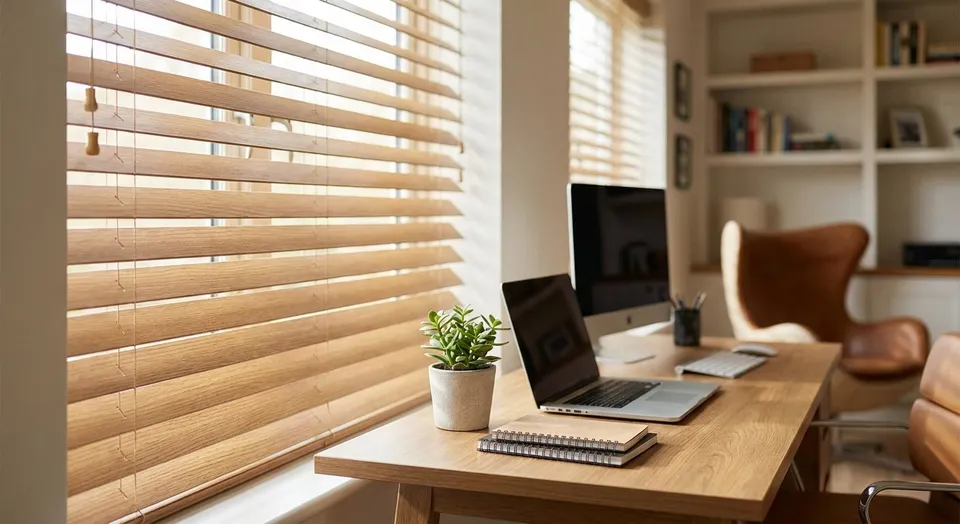
Home office window shades are custom-fit roller, zebra, cellular, and roman shades sized and installed for the specific glare, privacy, and noise problems of a workspace, with the aim of keeping your screen readable on camera and your desk usable at every hour of the day. A living room shade only has to look good. An office shade has to survive back-to-back video calls, afternoon sun hitting a monitor, and sometimes a shared wall with a bedroom or kitchen.
- Zebra shades from Rainier Blinds are the strongest pick for video-call glare because you dial opacity instead of choosing full sun or full dark.
- Cellular shades cut noise transfer better than a single-layer roller shade in a shared home office.
- Motorized operation matters most on windows behind a desk you can't reach mid-call.
- Custom roman shades suit a traditional office look but stack bulkier at the top of tall windows.
- Measuring at three points across the window width prevents a shade that binds or gaps once installed.
Why window shades matter for home offices
A home office window doesn't behave like a bedroom window. It gets used on camera, it gets judged by clients on a screen, and it usually needs adjusting several times a day rather than once at bedtime. A shade that's either fully up or fully down fails half of those moments: fully up blows out your webcam exposure, fully down makes you look like you're presenting from a closet.
The fix isn't a fancier blind. It's the right shade category for how the room gets used, paired with the right opacity and the right operation type. The single biggest mistake homeowners make is picking an office shade the way they'd pick a bedroom shade and then wondering why every 2026 video call has a glare problem.
Diagnose your glare problem before you shop
Walk your desk setup at the time of day you take the most calls. Note where the light hits your screen, not just the window.
- Check if the sun comes in low and direct (east or west-facing desks) versus high and diffuse (north-facing rooms)
- Note whether the glare hits your face or your screen, since the fix is different for each
- Track whether the problem is worse in specific months, since low winter sun behaves differently than summer glare
- Identify whether you need the shade down for privacy on calls even when there's no glare at all
Match the shade type to your window's exposure
Once you know when and how light hits your desk, the shade category almost picks itself. Zebra shades built for home offices alternate sheer and solid bands in the same shade, so you can dial the exact amount of light without going from full sun to blackout.
- Zebra shades: best for desks that face direct sun part of the day and need adjustable glare control
- Cellular shades: best for insulation and noise control in a shared work-and-living space
- Roller shades: best for a minimal, uncluttered look directly behind you on camera
- Custom roman shades: best for a traditional or executive look in a formal home office
- Combination of shade plus drapery: best for rooms that also need a decorative layer over a functional one
Decide on opacity before you order anything
Opacity is the setting most people get wrong on the first try. A blackout shade kills glare completely but also kills your on-camera lighting. A sheer shade solves privacy but does nothing for a bright monitor.
- Light-filtering fabric: lets you keep the room bright without direct glare hitting the screen
- Room-darkening fabric: useful for a home office that doubles as a nap room or has a projector
- Blackout fabric: rarely the right call for a workspace unless the window faces brutal afternoon sun
- Dual-opacity zebra bands: the only option that adjusts opacity without swapping shades
- Sheer-only fabric: fine for privacy screening but weak for actual glare control
Choose manual, motorized, or smart operation
A cord or wand works fine for a window you can reach without standing up from your desk. Motorization earns its keep on windows behind a monitor, above a desk, or anywhere you'd otherwise have to get up mid-call to adjust the shade.
- Manual operation: lowest-maintenance option, no batteries or app required
- Motorized operation: adjusts the shade with a remote or wall switch, useful for hard-to-reach office windows
- Smart operation: schedules the shade to open or close automatically around your work hours
- Motorized shades paired with video-call glare guidance solve the exact problem of adjusting light without leaving your seat mid-meeting
- Hybrid setups: motorized on the desk-facing window, manual on the rest of the room to control cost
Measure your windows before you order anything
Measuring is the step most homeowners rush, and it's the step that causes the most installation problems. Measure at three points across the width (top, middle, bottom) and use the narrowest measurement for an inside mount.
- Leave roughly a 1/4-inch gap on each side for inside-mount clearance
- Note any obstructions like a monitor arm, desk lamp, or cable management tray near the window frame
- Measure the depth of the window frame if you want an inside mount instead of an outside mount
- Recheck square corners, since older homes rarely have perfectly square window frames
- If you'd rather skip the guesswork, Rainier Blinds' measuring walkthrough covers the same three-point method their own crew uses on site
Reduce noise if the office doubles as a call room
A thin roller fabric does almost nothing for sound. If your home office shares a wall with a street-facing window or a busy hallway, the shade material matters as much as the opacity.
- Honeycomb-structured cellular shades trap air in sealed cells, which dampens sound better than a flat fabric
- Double-cell (three-layer) cellular construction outperforms single-cell for both noise and heat
- Full-window coverage matters more than fabric weight; gaps around the frame let sound leak in regardless of shade thickness
- Cellular shades are primarily for light control, privacy, and insulation. Do not rely on an ordinary shade to soundproof a room or promise a measurable reduction in outside noise; ask for product-specific acoustic test data if noise control is a priority.
- Layering drapery over a cellular shade adds another sound-dampening layer if the room is especially loud
Plan your budget and installation timing
Custom shades take longer to arrive than a big-box blind off the shelf, so timing matters if you're setting up a new office. Rainier Blinds measures and installs with its own crew rather than a subcontractor, which keeps the timeline predictable once you've committed.
- Plan before you move in or start a new remote job, since custom fabrication isn't instant
- Confirm operation type (manual, motorized, smart) before ordering, since motorized units often need a different mount
- Ask about warranty coverage on motorized components specifically, since batteries and motors wear differently than fabric
- Budget for the whole room's windows at once if you want a consistent look across a multi-window office
Get a in-home consultation
Rainier Blinds measures and installs with its own crew, not a subcontractor.
Compare the shade options for a home office
| Shade type | Best for | Key limitation |
|---|---|---|
| Zebra (dual-layer) shades | Adjustable glare control on video calls | Sheer layer still shows a silhouette when fully open |
| Cellular (honeycomb) shades | Noise dampening and insulation in shared spaces | Fixed opacity per shade unless you add top-down-bottom-up |
| Roller shades | A clean, minimal look directly behind you on camera | Single opacity per shade unless you order a dual-roller setup |
| Custom roman shades | A traditional, executive-office aesthetic | Bulkier fabric stack at the top, less ideal for very tall windows |
| Motorized or smart operation | Hands-free adjustment mid-call or on a schedule | Requires occasional battery charging or hub setup |
Verdict: zebra shades win for most home offices because they're the only option that adjusts opacity without swapping the shade or going to full blackout. Cellular shades win instead when the problem is sound, not light.
Common mistakes home office owners make
- Choosing a single-opacity fabric because it looked good in a showroom, then discovering it's either too bright or too dark for every call
- Skipping motorization on a hard-to-reach window and ending up standing on a desk chair mid-meeting to adjust it
- Ignoring noise until after move-in, then retrofitting a thin roller shade that does nothing for a street-facing office
- Measuring once instead of at three points, which causes binding or gapping once the shade is actually installed
- Treating a shared home-office-and-guest-room the same as a dedicated office, then finding the shade doesn't work for either use
FAQ
What's the best window shade for a home office with video calls?
Zebra shades are the best fit for a video-call-heavy home office in 2026 because they let you dial opacity instead of choosing between full sun and full blackout. A cellular shade is the better call instead if the main problem is noise rather than glare.
Are cellular shades good for a noisy home office?
Yes, cellular shades reduce noise transfer better than a single-layer roller shade because their honeycomb structure traps air in sealed cells. A double-cell (three-layer) version outperforms single-cell for both sound and heat.
Should home office shades be motorized?
Motorized operation makes the most sense on any window behind a desk, monitor, or anything else that's hard to reach mid-call. A window you can reach without standing up doesn't need it.
What's the difference between zebra shades and roman shades for offices?
Zebra shades adjust opacity by shifting alternating sheer and solid bands, while roman shades are a single fixed-opacity fabric that stacks at the top when raised. Zebra shades suit glare control better; roman shades suit a formal, traditional office look better.
How do I stop glare on video calls without blackout darkness?
A light-filtering fabric on a zebra or dual-roller shade cuts direct glare while keeping the room bright enough for a natural on-camera look. Full blackout fabric solves glare but usually makes the room too dark for a call.
Can office shades be paired with a smart home hub?
Yes, motorized shades from Rainier Blinds can be paired with a smart home hub to schedule opening and closing around work hours. That schedule keeps the room glare-free at the same time every day without manual adjustment.
How much do custom shades for a home office cost?
Pricing depends on the shade type, window size, and operation tier, so the real number comes from an in-home consultation rather than an online estimate. Rainier Blinds measures on site and gives pricing at that visit.
One last thing
The detail most homeowners skip is checking glare at the exact time of day they take the most calls, not just whenever they happen to be shopping for shades. A window that looks fine at 10am can wreck a 3pm video call, and no shade fabric fixes a problem you never diagnosed at the right hour. Walk your desk at call time before you pick a fabric, not after.
Related guides
In-home consultations are free within 60 driving miles of Auburn. Farther projects are considered individually; any consultation fee is quoted before booking and credited toward your order.